How to Make a Fruit Ninja Game in Scratch - Step-by-Step Tutorial
Scratch Game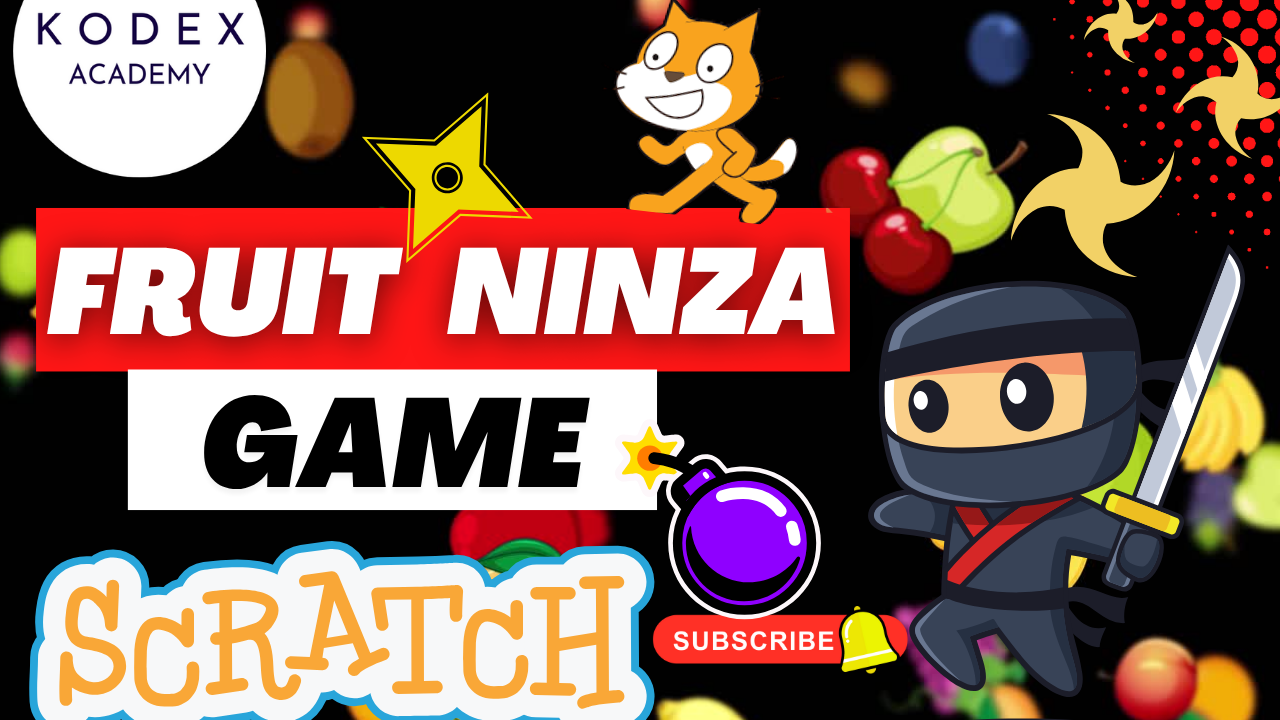
Introduction: Create an Exciting Fruit Ninja Game in Scratch
Hello everyone, welcome back to Kodex Academy! Today we're going to create one of the most fun and action-packed games in Scratch - the Fruit Ninja Game!
In this awesome project, you'll learn how to slice fruit in the air using your mouse pointer like a real ninja. You'll create fruits that fly with realistic gravity and motion, implement a scoring system, and add challenging bomb mechanics that you must avoid. This fast-paced slicing game is perfect for learning mouse control, physics simulation, and game state management.
What You'll Learn in This Tutorial:
- Setting up multiple fruit sprites with slicing animations
- Creating realistic bouncing physics for flying fruits
- Implementing mouse-controlled ninja blade mechanics
- Building fruit slicing detection with costume changes
- Adding bomb mechanics with blast animations
- Creating scoring and lives systems
- Implementing win/lose conditions and game states
- Adding sound effects and background music
Prerequisites:
- Basic familiarity with Scratch interface and sprites
- Understanding of variables, clones, and event handling
- Time: 60-75 minutes to complete
- Recommended: Download ninja blade and bomb sprites from the video description
Watch the Full YouTube Tutorial Here:
How to Make a Fruit Ninja Game in Scratch
https://www.youtube.com/watch?v=YC84VRTeKog
Fruit Ninja Game in Scratch: Complete Step-by-Step Guide
A. Project Setup and Fruit Sprites
Step 1: Initialize the Project
- Open Scratch and create a new project
- Delete the default cat sprite
- Choose a backdrop (race track or any suitable background)
- Switch backdrop to your chosen background
Step 2: Set Up Fruit Sprites
- Add multiple fruit sprites: Banana, Apple, Strawberry, Orange, Watermelon
- For each fruit, go to costumes and add 2 versions: whole fruit and sliced fruit
- Rename costumes numerically: 1=Banana, 2=Apple, 3=Strawberry, 4=Orange, 5=Watermelon, 6-10=Sliced versions
- Set fruit size to 75
- Upload or create sliced fruit costumes by duplicating and adding cut marks
Step 3: Create Fruit Bouncing Physics
- "Height" - controls bouncing motion
when green flag clicked
switch backdrop to [race v]
set [height v] to (1)

when green flag clicked
forever
    wait (1) seconds
    create clone of [myself v]
    set x to (pick random (-200) to (200))
    set y to (-90)
    point in direction (90)
    switch costume to (pick random (1) to (5))
    show

when I start as a clone
repeat until <(y position) > (175)>
    change y by (height)
    change [height v] by (-1)
wait (0.1) seconds
delete this clone
B. Ninja Blade Setup
Step 4: Add Ninja Blade Sprite
- Upload or choose a ninja blade sprite (download recommended from video description)
- Set blade size to 40
- Position blade to follow mouse pointer
Step 5: Mouse Control for Ninja Blade
when green flag clicked
show
forever
    go to [mouse-pointer v]
C. Fruit Slicing Mechanics
Step 6: Create Scoring Variables
- "Score" - tracks sliced fruits
- "Missed Fruits" - tracks dropped fruits
- "Lives" - player health
when green flag clicked
set [score v] to (0)
set [missed fruits v] to (0)
set [lives v] to (3)
Step 7: Fruit Slicing Detection
when I start as a clone
forever
    if <<(costume [number v]) = (1)> and < and >> then
        switch costume to (6)
        play sound [chomp v] until done
        change [score v] by (1)
        wait (0.1) seconds
        delete this clone
    else
        if <<(costume [number v]) = (2)> and < and >> then
            switch costume to (7)
            play sound [chomp v] until done
            change [score v] by (1)
            wait (0.1) seconds
            delete this clone
        else
            if <<(costume [number v]) = (3)> and < and >> then
                switch costume to (8)
                play sound [chomp v] until done
                change [score v] by (1)
                wait (0.1) seconds
                delete this clone
            else
                if <<(costume [number v]) = (4)> and < and >> then
                    switch costume to (9)
                    play sound [chomp v] until done
                    change [score v] by (1)
                    wait (0.1) seconds
                    delete this clone
                else
                    if <<(costume [number v]) = (5)> and < and >> then
                        switch costume to (10)
                        play sound [chomp v] until done
                        change [score v] by (1)
                        wait (0.1) seconds
                        delete this clone
Step 8: Add Ground Line for Missed Fruits
- Add a new sprite called "Line" (a simple horizontal line)
- Position it at the bottom of the screen (y position around -150)
- This will detect when fruits fall without being sliced
when I start as a clone
forever
    if  then
        change [missed fruits v] by (1)
        wait (0.1) seconds
        delete this clone
D. Bomb Mechanics
Step 9: Set Up Bomb Sprite
- Upload or choose a bomb sprite with 2 costumes: normal bomb and blast
- Apply similar bouncing physics as fruits but with different timing
when green flag clicked
forever
    wait (2) seconds
    create clone of [myself v]
    set x to (pick random (-200) to (200))
    set y to (-90)
    point in direction (90)
    switch costume to (1)
    show

when I start as a clone
set [height v] to (0.1)
repeat until <(y position) > (170)>
    change y by (height)
    change [height v] by (-1)
wait (0.1) seconds
delete this clone

when I start as a clone
forever
    if  then
        wait (0.1) seconds
        delete this clone
Step 10: Bomb Collision Detection
when I start as a clone
forever
    if < and > then
        play sound [bonk v] until done
        switch costume to (2)
        wait (0.5) seconds
        change [lives v] by (-1)
        delete this clone
E. Game States and Win/Lose Conditions
Step 11: Create Game Over and Win Backdrops
- Create "Game Over" backdrop with red/orange background and text
- Create "You Win" backdrop with celebratory design and text
- Use large, clear fonts for the messages
Step 12: Game Logic and State Management
when green flag clicked
forever
    if <<(lives) = (0)> or <(missed fruits) > (9)>> then
        broadcast [game over v]
        switch backdrop to [game over v]
stop [all v]when green flag clicked
forever
if <(score) > (9)> then
broadcast [you win v]
switch backdrop to [you win v]
stop [all v]Step 13: Background Music
when green flag clicked
forever
play sound [dance snare beat v] until doneComplete Code Blocks Summary
Fruit Sprite (Complete Script)
when green flag clicked
switch backdrop to [race v]
set [height v] to (1)
set [score v] to (0)
set [missed fruits v] to (0)
set [lives v] to (3)
when green flag clicked
forever
wait (1) seconds
create clone of [myself v]
set x to (pick random (-200) to (200))
set y to (-90)
point in direction (90)
switch costume to (pick random (1) to (5))
show
when I start as a clone
repeat until <(y position) > (175)>
change y by (height)
change [height v] by (-1)
wait (0.1) seconds
delete this clone
when I start as a clone
forever
if <<(costume [number v]) = (1)> and < and >> then
switch costume to (6)
play sound [chomp v] until done
change [score v] by (1)
wait (0.1) seconds
delete this clone
// Repeat similar blocks for costumes 2-5 switching to costumes 7-10
when I start as a clone
forever
if then
change [missed fruits v] by (1)
wait (0.1) seconds
delete this clone
when green flag clicked
forever
    if <(score) > (9)> then
        broadcast [you win v]
        switch backdrop to [you win v]
stop [all v] Ninja Blade Sprite (Complete Script)
when green flag clicked
show
forever
    go to [mouse-pointer v]
Bomb Sprite (Complete Script)
when green flag clicked
forever
    wait (2) seconds
    create clone of [myself v]
    set x to (pick random (-200) to (200))
    set y to (-90)
    point in direction (90)
    switch costume to (1)
    show

when I start as a clone
set [height v] to (0.1)
repeat until <(y position) > (170)>
    change y by (height)
    change [height v] by (-1)
wait (0.1) seconds
delete this clone

when I start as a clone
forever
    if  then
        wait (0.1) seconds
        delete this clone

when I start as a clone
forever
    if < and > then
        play sound [bonk v] until done
        switch costume to (2)
        wait (0.5) seconds
        change [lives v] by (-1)
        delete this clone

when green flag clicked
forever
    if <<(lives) = (0)> or <(missed fruits) > (9)>> then
        broadcast [game over v]
        switch backdrop to [game over v]
        stop [all v]
Advanced Enhancement Ideas
1. Combo System
// Create "combo" variable
when green flag clicked
set [combo v] to (0)when I start as a clone
// In the slicing detection blocks, add:
if then
change [combo v] by (1)
if <(combo) > (4)> then
change [score v] by (2) // Bonus points for 5-hit combo
play sound [combo bonus v] until done
set [combo v] to (0) // Reset combo after bonus
else
set [combo v] to (0) // Reset on miss 2. Fruit Explosion Effects
// Create a "Particle" sprite with sparkle costumes
when I start as a clone
if  then
    create clone of [Particle v]
    set [Particle v] x to (x position)
    set [Particle v] y to (y position)
    // Add animation for particle explosion
3. Multiple Bomb Types
// Add more bomb costumes
when I start as a clone
switch costume to (pick random (1) to (3))  // Different bomb types
if <(costume [number v]) = (1)> then  // Normal bomb
    // Standard damage
else
    if <(costume [number v]) = (2)> then  // Mega bomb
        change [lives v] by (-2)  // Double damage
    else  // Freeze bomb
        // Temporarily stop fruit spawning
4. Power-ups and Special Fruits
// Add golden fruit costume (costume 11)
when I start as a clone
if <(pick random (1) to (20)) = (1)> then  // 5% chance
    switch costume to (11)  // Golden fruit
    // Worth 3 points, or gives extra life, etc.
5. Dynamic Difficulty
when green flag clicked
set [level v] to (1)
set [spawn rate v] to (1)

when I receive [level up v]
change [level v] by (1)
change [spawn rate v] by (-0.2)  // Faster spawning
// Adjust fruit speed and bomb frequency
6. Trail Effects
// Create trail sprite that follows blade
when green flag clicked
forever
    create clone of [Trail v]
    set [Trail v] x to (x position)
    set [Trail v] y to (y position)
    // Fade out trail clones over time
7. Multiplayer Mode
// Add second ninja blade sprite
// Track separate scores for each player
// Split screen with different fruit patterns
set [player1 score v] to (0)
set [player2 score v] to (0)
8. Time Attack Mode
when green flag clicked
set [time left v] to (60)  // 60 second challenge

forever
    wait (1) seconds
    change [time left v] by (-1)
    if <(time left) = (0)> then
        // End game based on score achieved
9. Fruit Chain Reactions
// When slicing one fruit, check for nearby fruits
if  then
    if  then
        // Slice connected fruits automatically
        // Create chain reaction effect
10. Achievement System
when I start as a clone
if  then
    change [fruits sliced v] by (1)
    if <(fruits sliced) = (50)> then
        // Unlock "Fruit Master" achievement
        say [Achievement Unlocked!] for (2) seconds
Common Issues and Solutions
Fruits Not Bouncing Properly
Problem: Fruits fall straight down without bouncing
Solution: Ensure the height variable starts at 1 and decreases by 1 each iteration. Check that the repeat until condition uses y position > 175.
Ninja Blade Not Following Mouse
Problem: Blade doesn't move smoothly with mouse
Solution: Make sure the "go to mouse-pointer" block is in a forever loop without any waits that would slow it down.
Fruit Slicing Not Working
Problem: Clicking on fruits doesn't slice them
Solution: Verify that all three conditions are met: correct costume number, touching ninja blade, and mouse down. Check costume numbering (1-5 for whole fruits, 6-10 for sliced).
Bombs Not Exploding
Problem: Clicking bombs doesn't trigger blast animation
Solution: Ensure bomb sprite has both costumes (normal and blast) and the costume switch happens before the life deduction.
Game Over Triggering Incorrectly
Problem: Game ends at wrong times
Solution: Check the conditions: lives = 0 OR missed fruits > 9. Make sure variables are initialized correctly.
Final Thoughts
Congratulations! You've successfully created a complete Fruit Ninja game in Scratch. This action-packed project demonstrates advanced programming concepts including:
- Complex sprite management with multiple costumes and clones
- Realistic physics simulation with gravity and bouncing
- Mouse interaction and collision detection
- Multi-sprite coordination and event broadcasting
- Game state management with win/lose conditions
- Sound integration and user feedback
- Variable management for scoring and game mechanics
The Fruit Ninja game is an excellent showcase project that combines fast-paced gameplay with sophisticated programming techniques. The game includes:
- 5 different fruits with unique slicing animations
- Realistic bouncing physics using variable-based motion
- Mouse-controlled ninja blade for precise slicing
- Bomb avoidance mechanics with blast animations
- Comprehensive scoring system with lives and missed fruit tracking
- Dynamic game states with win/lose backdrops
Ready to Slice Some Fruits?
Building fast-paced action games in Scratch is an exciting way to learn advanced programming concepts while creating engaging gameplay. This Fruit Ninja tutorial covers essential game development techniques that you can apply to many other projects.
If you enjoyed this tutorial, be sure to check out our other Scratch game tutorials and subscribe to our channel for more coding adventures!
- Watch the full video tutorial: Fruit Ninja Game in Scratch
- Like, comment & share the video
- Visit kodexacademy.com for more tutorials
- Subscribe to the Kodex Academy YouTube channel
Happy coding with Kodex Academy!
Share This Tutorial
Help other kids learn Scratch game development! Share this Fruit Ninja tutorial with friends and family.