How to Make Flappy Bird Game in Scratch | Coin Collection Game in Scratch | Scratch Coding for Beginners
Scratch Game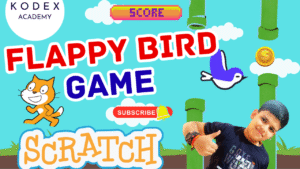
Introduction — Flappy Bird Game in Scratch
Have you ever wondered how people create fun games like Flappy Bird without writing a single line of code? With Scratch programming, anyone — from complete beginners to young creators — can build exciting games simply by dragging and dropping visual blocks. In this tutorial, you'll learn how to make a Flappy Bird game in Scratch, and not just the regular one — we're adding a fun twist: 💰 Coin Collection Mechanics!
Your bird will flap through moving pipes while collecting coins to boost its score, making gameplay more engaging than the original Flappy Bird. Along the way, you'll explore must-learn concepts such as gravity, costume animation, clone-based obstacles, collision detection, score tracking, and win/game-over logic.
If you've been searching for:
- How to make games in Scratch
- Scratch programming games
- Flappy Bird game in Scratch
- Coin collection game in Scratch
- Scratch games tutorial easy
…this guide is perfect for you!
Whether you're learning Scratch at school, teaching kids to code, or simply exploring game development for fun, this hands-on, beginner-friendly project will help you build a polished game step by step.
So get ready — let's flap into Scratch and start creating!
What You Will Learn
- ✓ How to create sprites in Scratch
- ✓ How to animate costumes
- ✓ How to create gravity + physics motion
- ✓ How to scroll backgrounds
- ✓ How to generate obstacles using clones
- ✓ How to add collectible objects
- ✓ How to detect collisions
- ✓ How to create scoring systems
- ✓ How to create game win & game over screens
👉 Watch the Full YouTube Tutorial Here:
Step-by-Step Coding — Flappy Bird Game in Scratch
What is Scratch?
Scratch is a beginner-friendly block-based programming platform developed by MIT Media Lab. It helps kids and adults learn programming logic, animation, and game creation visually.
Official Website → https://scratch.mit.edu
If you're new here, sign up and open the editor.
1. Add the Bird Sprite
You can upload your own sprite or use premade Flappy Bird artwork.
Rename the sprite to: Flappy Bird
- Add costumes → (flapping animation)
- Import all bird costumes.
Reduce size:
Set size to 50%
2. Add Scrolling Background
Instead of switching backdrops, we will use backdrop images as sprites.
Upload the background sprite twice:
- ✓ backdrop1
- ✓ backdrop2 — Flip backdrop2 horizontally for seamless texture
Resize to fill.
Code (Backdrop1)
go to back layer
go to x:0 y:0
forever
change x by -5
if (x position) < -460 then
go to x:465 y:0
end
end
Code (Backdrop2)
go to back layer
go to x:465 y:0
forever
change x by -5
if (x position) < -460 then
go to x:465 y:0
end
end
✓ Result → Continuous scrolling background
3. Bird Movement (Gravity + Jump)
- Create variable → y velocity
Code
go to x:0 y:0
set [y velocity] to 0
forever
change y velocity by -1
change y by (y velocity)
end
Space Key → Jump
set [y velocity] to 10
point in direction 60
Costume Animation
next costume
wait 0.05
end
Now the bird flaps naturally and falls like real physics.
4. Add Pipes (Obstacles)
Upload obstacles with 3 different costume variations.
Clone Pipes Continuously
hide
forever
wait (2) seconds
create clone of myself
end
Clone Behavior
go to x:240 y:(random position?)
switch costume to (pick random 1–3)
show
repeat until (x position) < -240
change x by -5
end
delete this clone
✓ Pipes now spawn & move left.
5. Track Pipes Passed
- Create variable: obstacles crossed
Code
set [obstacles crossed] to 0
if (Flappy Bird x position) > (x position) then
change [obstacles crossed] by 1
stop this script
end
6. Coins (Collectibles)
- Upload coin sprite
- Resize to 20%
Use same clone system from obstacles (copy and adjust)
Remove costume switching.
Code
go to x:240 y:(random)
show
repeat until (x position) < -240
change x by -5
end
delete this clone
7. Coin Scoring
- Make variable – coin collection
Default
set [coin collection] to 0
Detect coin collision (inside bird logic)
play sound (coin)
wait 0.5
change [coin collection] by 1
end
8. Win & Game Over Screens
- Create Backdrop3
- Make 3 costumes:
- 1. Default
- 2. You Win
- 3. Game Over
Broadcast Messages
broadcast [You Win]
hide
stop all
end
if touching [obstacle] or touching [edge] then
broadcast [Game Over]
hide
stop all
end
Backdrop Reception
switch costume to [You Win]
show
play sound (win)
stop all
switch costume to [Game Over]
show
play sound (lose)
stop all
✓ Game finished!
Final Game on YouTube – How to Make Flappy Bird in Scratch | Coin Collection Game in Scratch | Scratch Coding for Beginners
Enhancements You Can Add
1) Difficulty Increase
Increase pipe speed over time:
forever
change [speed] by 0.1
end
Use speed variable instead of fixed -5.
2) Add High Score
set [high score] to (coin collection)
end
3) Animation of Coins
next costume
wait 0.2
end
4) Add Restart Button
Add sprite → Button
broadcast [restart]
External Learning Resources
| Scratch official site | https://scratch.mit.edu |
| Scratch tutorials | https://scratch.mit.edu/projects/editor/?tutorial=getStarted |
| Flappy Bird history | https://en.wikipedia.org/wiki/Flappy_Bird |
Conclusion
Congratulations! You've just built your very own Flappy Bird + Coin Collection game in Scratch — complete with animated movement, scrolling background, coins, obstacles, scoring, and exciting end-game screens. Along the way, you explored essential Scratch programming concepts such as cloning, sensing, events, variables, costume switching, and collision detection — all of which form the foundation for creating more advanced games.
By adding collectible coins and a win condition, this project goes beyond the traditional Flappy Bird game and introduces richer gameplay mechanics. Even better? You achieved all of this without typing a single line of code — simply by snapping together logic blocks inside Scratch!
Now that you understand how to make games in Scratch, try experimenting further:
- ✓ Add sound effects or background music
- ✓ Increase difficulty over time
- ✓ Display high scores
- ✓ Add power-ups, shields, or extra lives
- ✓ Customize sprites or themes
Each enhancement helps you think creatively and improve your programming mindset.
If you're excited to keep learning, check out more Scratch games and tutorials on our channel and continue exploring what you can build. The possibilities in Scratch are endless — from simple animations to fully interactive adventures.
So keep experimenting, keep building, and most importantly… have fun coding! 🎉
Call to Action
- Don't forget to check out the full video tutorial: How to Make Flappy Bird in Scratch | Coin Collection Game in Scratch | Scratch Coding for Beginners
- Like, comment & share the video
- Visit kodexacademy.com
- Subscribe to the Kodex Academy YouTube channel for deeper Scratch content.
Happy coding with Kodex Academy! 🚀
Next Steps: Learn More with Kodex Academy
At Kodex Academy, we're passionate about helping students learn coding in creative ways. This project teaches more than Scratch—it empowers young minds to build tools that work in the real world.
Explore more:
Stay updated with new content, free tutorials, and coding challenges!
- 📢 Telegram
- 💬 WhatsApp Channel
- 📎 Patreon
- 🌐 Games Website
- 𝕏 Twitter